OutSystems必須マークを自動的に付ける方法

基礎
スポンサーリンク

OutSystems必須マークを自動的に付ける方法

OutSystemsでは、必須チェック「*」を自動的に付ける方法があります。

それについて解説します。

スポンサーリンク

LabelとユーザーIDをバインド(紐づける)

OutSystemsで必須マークを自動的に付けるには

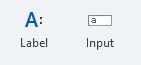
「Input Wiget」と「Label Wiget」を利用します。

Input Wigetの設定
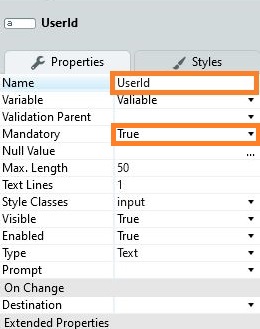
Input WidgetのNameに適当な名前を付けます。この設定はLabel Widgetとバインドするためには、必須です。

そして、Mandatoryの項目をTrueにします。

Label Wigetの設定
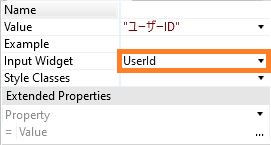
Label WidgetのInput Widgetの項目にバインドする入力エリアのNameを設定します。

スポンサーリンク

必須項目のメリット

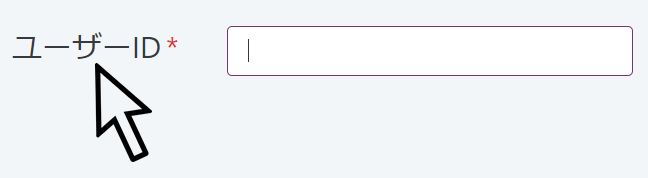
必須項目をつけることにより、ラベル「ユーザーID」をマウスでクリックするとバインドしている入力エリアにカーソルが行きます。

UIを向上させるためにもこのバインドは必須ですよね。
コメント

This website stores cookies on your computer. These cookies are used to provide a more personalized experience and to track your whereabouts around our website in compliance with the European General Data Protection Regulation. If you decide to to opt-out of any future tracking, a cookie will be setup in your browser to remember this choice for one year.

Accept or Deny

タイトルとURLをコピーしました